
A steady, detailed Roblox character speed drawing guide
Learn the digital tablet sketches, color palettes, and avatar coordinates.
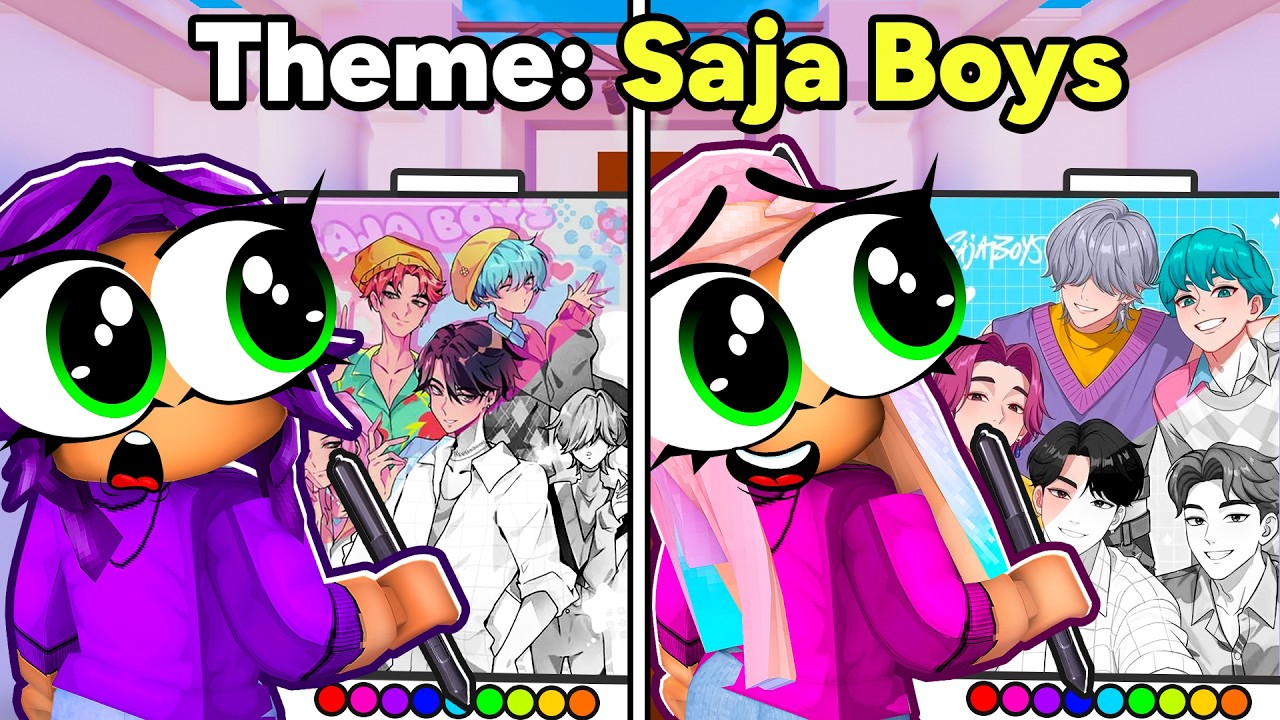

Art channel Janet and Kate presents a four-minute speed drawing video showing the host sketching and coloring custom Roblox avatar characters. The video displays digital tablet canvases, color palettes, and rapid sketching lines. The pacing is steady, with the host explaining line shading, digital coordinates, and drawing programs in a warm, encouraging voice. It is a highly safe, creative art workshop guide that is perfect for primary school children.
At a glance
Will it actually calm them down?
 Eases a wound-up mood back to settled.
 A gentle lift on a flat, low-energy afternoon.
 Steady enough for meltdown recovery.
Scores measure how reliably this video moves a child toward a settled, regulated state. In the Piko app, kids tell us their weather and we do the matching automatically.
On the bigger question underneath all of this: whether screen time really causes dysregulation.
Which kids will love it?
Why it works
The speed drawing format turns digital illustration into a structured lesson on sketch proportions, color theory, and geometry balance. By showing how the host combines lines and fills coordinate shading, the video builds design patience, concentration, and fine motor skills. It serves as an absorbing, quiet choice to get kids drawing their own cartoon avatars offline.
When to reach for it
- Creative art helper Great background for kids studying digital canvas lines, colors, and shadows.
- Rainy afternoon rescue An absorbing, quiet art tutorial to settle busy minds on wet days.
- Twenty minutes to cook dinner Keeps young designers focused on drawing steps while you cook.
Sensory & SEN notes
If you are weighing this one up for an autistic child, the same checks we ran here are the ones worth running yourself: how to choose videos for autistic children.
If they love this, try these


Questions parents ask
Do we need professional digital tablets to follow?
The host uses an iPad and pencil, but standard paper and crayons are perfect for practicing offline.
Is the speed of the drawing too fast?
The video shows the drawing in speedart format, but the voiceover reviews each step slowly.
What characters are being drawn?
It reviews drawing steps for customized Roblox avatar outfits.
40+ checks per video, with a final pass from the review desk · Scored 20 July 2026 · We do not host videos; playback is via YouTube's official embed.